Cesium Chinese website: http://cesiumcn.org/ | Fast access in China: http://cesium.coinidea.com/
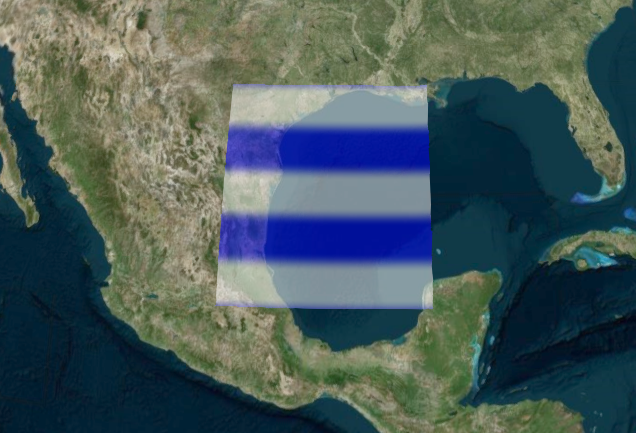
This tutorial will introduce you to the geometry and appearance system using the Primitive API. This is an advanced topic for extending CesiumJS with custom meshes, shapes, volumes, and appearances, rather than for general Cesium users. If you are interested in learning how to draw various shapes and volumes on the globe, please check out the Creating Entities tutorial. CesiumJS can create different geometry types using entities (such as polygons and ellipsoids). For example, copy and paste the following code into the Hello World Sandcastle example to create a rectangle with a stripe pattern on the globe:
| |
In this tutorial, we will go under the hood and look at the geometry and appearance types that make them up. Geometry defines the structure of a Primitive, i.e., the triangles, lines, or points that make up the primitive. Appearance defines the shading of the Primitive, including its full GLSL vertex and fragment shaders, as well as the render state.
The benefits of using geometry and appearances are:
- Performance: When drawing a large number of Primitives (such as polygons for every zip code in the United States), using geometry directly allows us to combine them into a single geometry to reduce CPU overhead and better utilize the GPU. Combining Primitives is done on a web worker to keep the UI responsive.
- Flexibility: Primitives combine geometry and appearance. By separating them, we can modify each independently. We can add new geometries that are compatible with many different appearances, and vice versa.
- Low-level access: Appearances provide close-to-the-metal rendering access without worrying about all the details of using the Renderer directly. Appearances make it easy to:
- Write full GLSL vertex and fragment shaders
- Use custom render states
Of course, there are also some drawbacks:
- Using geometry and appearances directly requires more code and a deeper understanding of graphics. Entities are at an abstraction level suitable for mapping applications; geometry and appearances are at an abstraction level closer to a traditional 3D engine.
- Combining geometries is effective for static data, but not necessarily for dynamic data.
Let’s rewrite the initial code example using geometry and appearances:
| |
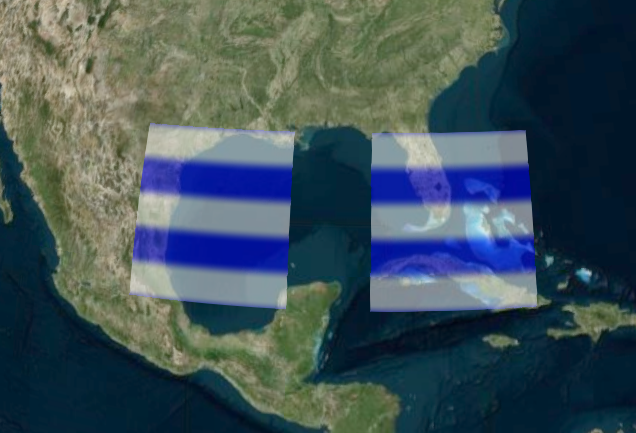
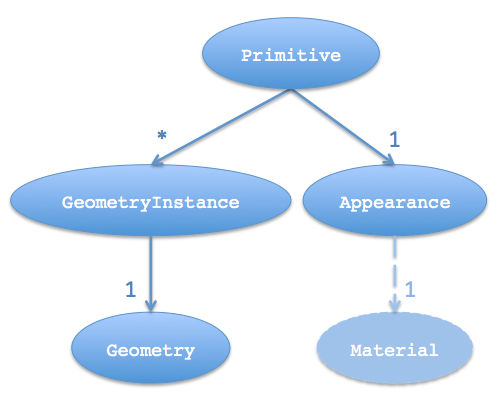
We used a Primitive (Primitive) instead of a rectangle entity, which combines geometry and appearance. For now, we will not distinguish between Geometry and GeometryInstance. An instance is not just an instance of a geometry, but also a container for it.
To create the geometry for a rectangle – the triangles covering the rectangular area and conforming to the curvature of the globe – we created a RectangleGeometry.
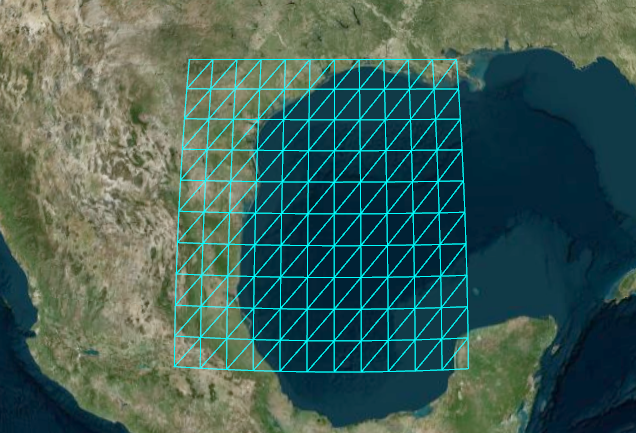
Since it is on the surface, we can use EllipsoidSurfaceAppearance. This saves memory by assuming the geometry is on the surface or at a constant height above the ellipsoid.
Geometry Types
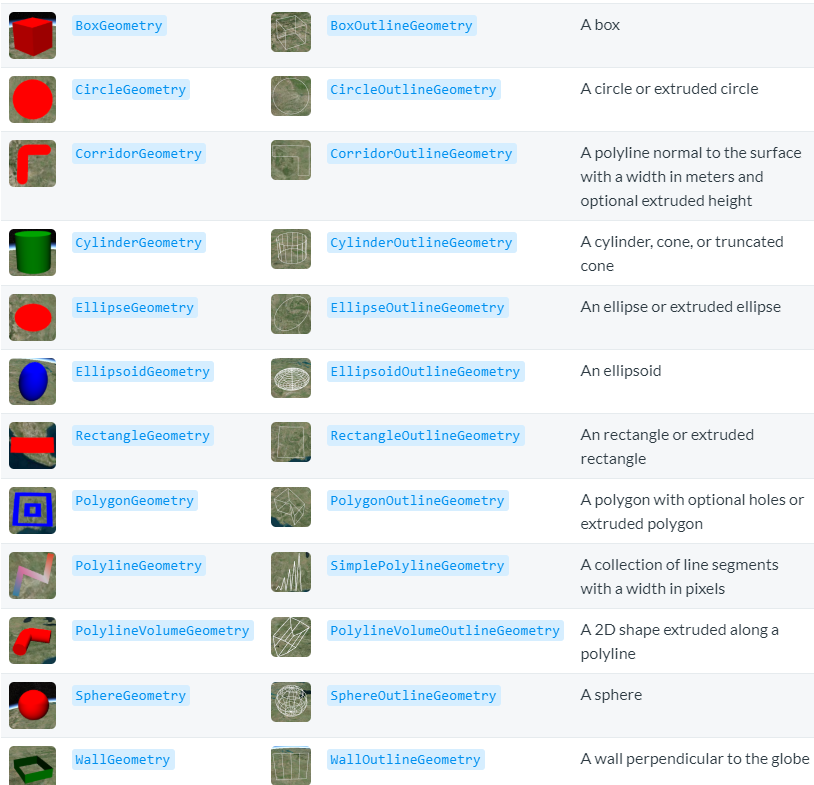
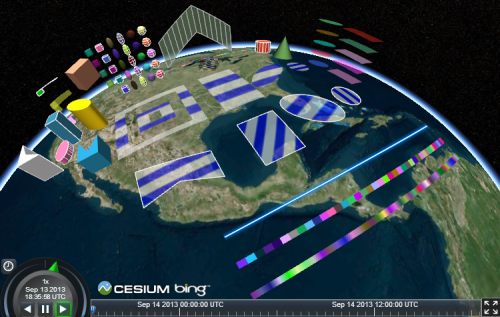
CesiumJS provides the following geometries:
Combining Geometry
When we use a single Primitive to draw multiple static geometries, we see performance benefits. For example, drawing two rectangles in one Primitive.
| |
We created another instance with a different rectangle, then provided both instances to the Primitive. This draws both instances with the same appearance.
Some appearances allow each instance to provide unique attributes. For example, we can use PerInstanceColorAppearance to shade each instance with a different color.
| |
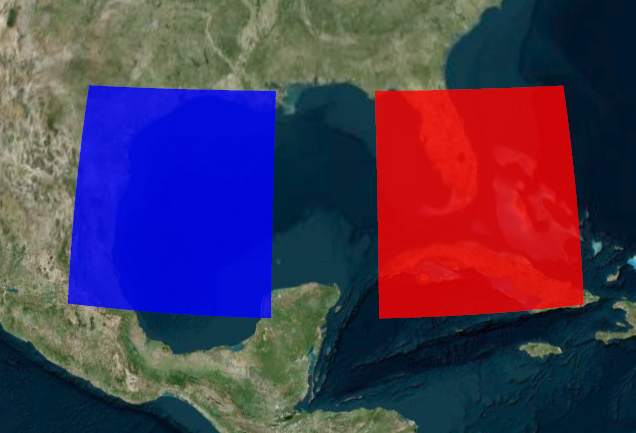
Each instance has a color attribute. The Primitive is constructed with PerInstanceColorAppearance, which uses each instance’s color attribute to determine the shading.
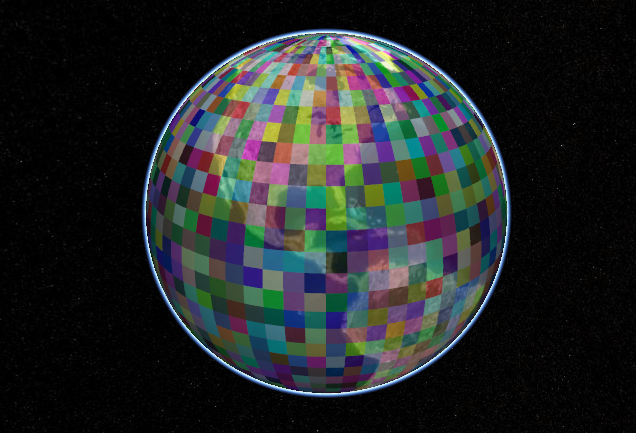
Combining geometries allows CesiumJS to efficiently draw many geometries. The following example draws 2,592 uniquely colored rectangles.
| |
Picking
Instances can be accessed independently after being combined. Assign an ID to an instance and use it to determine whether that instance is picked using Scene.Pick.
The following example creates an instance with an id and writes a message to the console when the instance is clicked.
| |
Using id avoids keeping a reference to the entire instance in memory after the Primitive is constructed, including the geometry.
Geometry Instances
Instances can be used to position, scale, and rotate the same geometry in different parts of the scene. This is possible because multiple instances can reference the same Geometry, and each instance can have a different modelMatrix. This allows us to compute the geometry only once and reuse it multiple times.
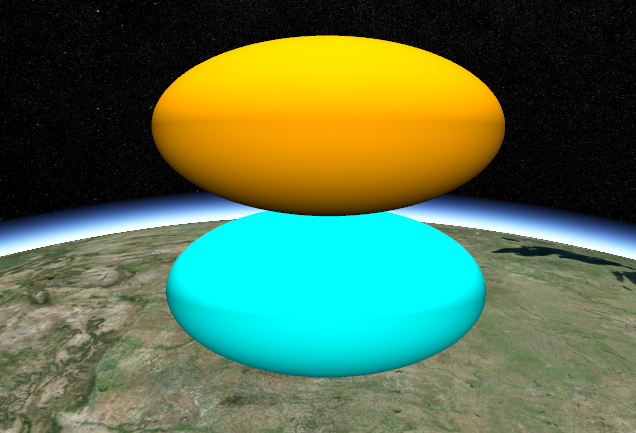
The following example creates an EllipsoidGeometry and two instances. Each instance references the same ellipsoid geometry but uses a different modelMatrix to place it, resulting in one ellipsoid positioned above the other.
| |

Updating Per-Instance Attributes
After geometry is added to a Primitive, update per-instance attributes of the geometry to change the visualization. Per-instance attributes include:
- Color: ColorGeometryInstanceAttribute determines the color of the instance. The Primitive must have a PerInstanceColorAppearance.
- Show: A boolean type that determines whether the instance is visible. All instances have this attribute.
The following demonstrates how to change the color of a geometry instance:
| |
The attributes of a geometry instance can be retrieved from the primitive using primitive.getGeometryInstanceAttributes. The properties of attributes can be changed directly.
Appearances
Geometry defines the structure. The other key property of a primitive, appearance, defines the shading of the primitive, i.e., the color of individual pixels. A primitive can have multiple geometry instances but only one appearance. Depending on the type of appearance, the appearance will have a material that defines the body of the shading.
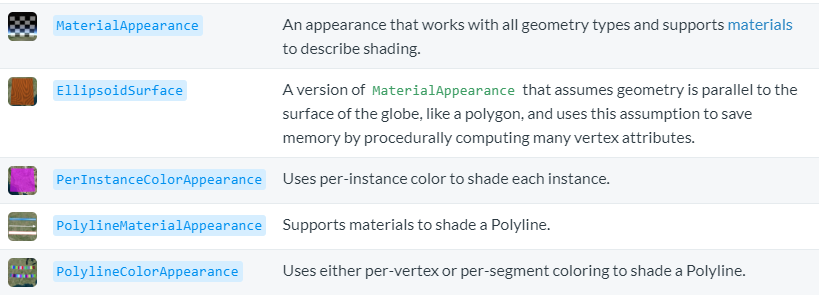
CesiumJS has the following appearances:
Appearances define the full GLSL vertex and fragment shaders that are executed on the GPU when drawing a Primitive. Appearances also define the full render state, which controls the state of the GPU when drawing a primitive. We can define the render state directly, or use higher-level properties like “closed” and “translucent”, which the appearance will convert into render state. For example:
| |
Once an appearance is created, its renderState property cannot be changed, but its material can. We can also change the appearance property of a primitive.
Most appearances also have flat and faceForward properties, which indirectly control the GLSL shaders.
- flat: Flat shading. Do not consider lighting.
- faceForward: When lighting, flip the normal so that it always faces the viewer. Avoids dark areas on the back side, such as the inside of a wall.

Geometry and Appearance Compatibility
Not all appearances work with all geometries. For example, the EllipsoidSurfaceAppearance does not work with WallGeometry because a wall is not on the surface of the globe.
For an appearance to be compatible with a geometry, they must have matching vertex formats, meaning the geometry must have the input data expected by the appearance. A vertexFormat can be provided when creating a geometry.
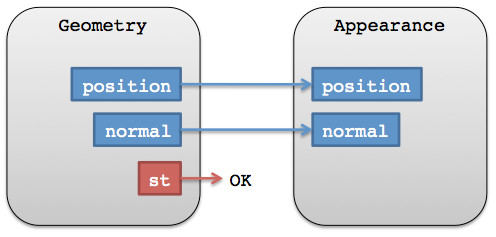
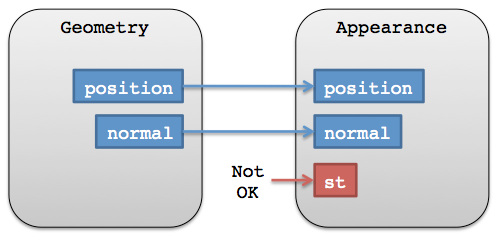
The vertexFormat of a geometry determines whether it can be combined with other geometries. Two geometries do not need to be the same type, but they need matching vertex formats.
For convenience, appearances either have a vertexFormat property or a VERTEX_FORMAT static constant that can be passed as a geometry option.
| |
Resources
Reference documentation:
For more materials, visit: Fabric For future plans, visit: Geometry and Appearances Roadmap
Cesium Chinese website QQ group: 807482793
Cesium Chinese website: http://cesiumcn.org/ | Fast access in China: http://cesium.coinidea.com/