Another key element of a Cesium application is Imagery. Tile map collections are mapped onto the virtual 3D digital globe surface based on different projection methods. Depending on the camera’s direction and distance to the surface, Cesium requests and renders different levels of imagery detail.
Multiple imagery layers can be added, removed, sorted, and adapted in Cesium.
Cesium provides a series of methods for handling imagery, such as color adaptation and layer blending. Here are some sample code examples:
- Adding basic imagery
- Adjusting imagery colors
- Manipulating and ordering imagery layers
- Splitting imagery layers
Cesium provides various interfaces to support different imagery data sources.
Supported imagery formats
- WMS
- TMS
- WMTS (with time dynamic imagery)
- ArcGIS
- Bing Maps
- Google Earth
- Mapbox
- OpenStreetMap
Note: Different data sources require different authentication - make sure you have permission to access these data sources. Naturally, you’ll need to register for specific credentials.
By default, Cesium uses Bing Maps as the default imagery. This imagery is packaged into the Viewer for demonstration purposes. Cesium requires you to create your own ion account and generate an access key to access imagery data.
In the following example, we’ll use Sentinel-2 imagery from Cesium ion.
Go to the Cesium ion page and add Sentinel-2 imagery to your assets. Click “Asset Depot” in the navigation bar.
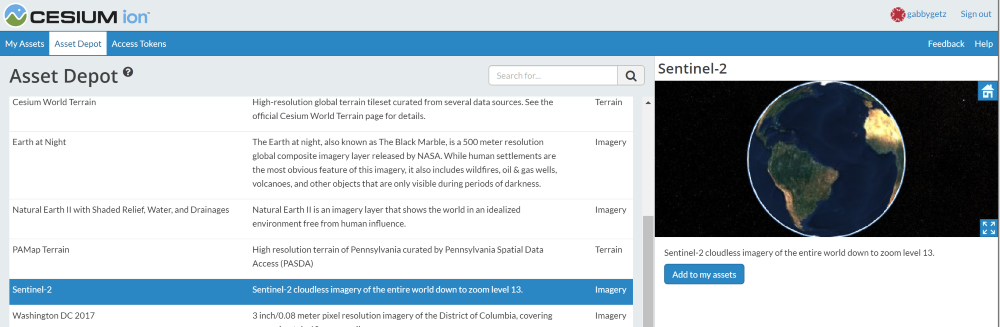
Click “Add to my assets”. Sentinel-2 will appear in your personal Asset list (My Assets), making the imagery data source available in your personal app.
At the code level: we create an IonImageryProvider and pass the assetId for the corresponding Sentinel-2 imagery. Then we add the ImageryProvider to viewer.imageryLayers.
| |
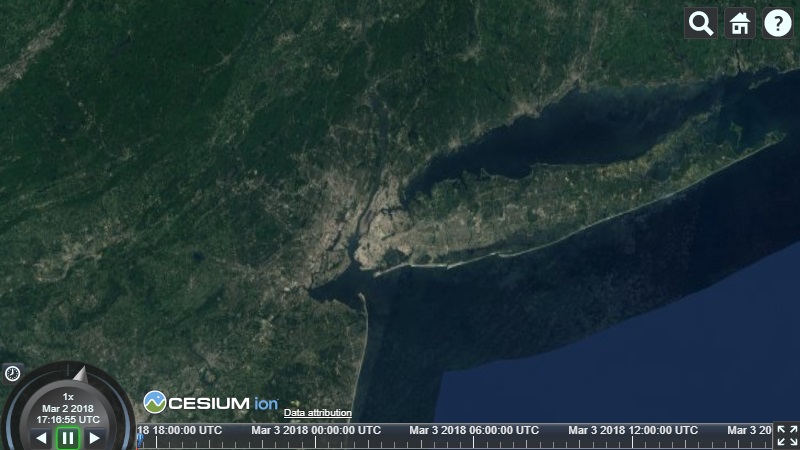
Based on the above code, our Cesium application will show the following imagery when zooming in:
For more information about imagery, please visit the Imagery Layers Tutorial
Cesium Chinese Community QQ Group: 807482793
Original link: http://cesiumcn.org/topic/156.html | China fast access: http://cesium.coinidea.com/topic/156.html