1. Connect server
Use CRT or Xshell to connect to the server remotely.
2. Network config
First, configure DNS for the server and check whether it can access the internet.
Enter the following command:
| |
If you receive a reply from [www.baidu.com][1], it means the server can access the internet. If you get “unknown host,” the DNS configuration is incorrect and needs to be set up.
There are two ways to configure DNS:
Temporary solution: edit the resolv.conf file and add “nameserver 8.8.8.8”.
1
2
vi /etc/resolv.conf nameserver 8.8.8.8Permanent solution: edit the ifcfg_eth0 file and add “DNS1=8.8.8.8”.
1
2
vi /etc/sysconfig/network-scripts/ifcfg-eth0 DNS1=8.8.8.8
After configuration, run the command “service network restart”.
The second approach is recommended, as the first one will be lost when the server restarts.
Disable the firewall
Enter the command:
| |
3. File transfer
During the installation process, you may need to upload local files to the server. Here is one approach.
Enter the command:
| |
After installing the lrzsz package, enter:
| |
Then select the file you want to upload.
Yum (Yellow dog Updater Modified) is an RPM-based package manager that can automatically download and install RPM packages from specified servers, handling dependency relationships automatically and installing all dependent packages at once, eliminating the tedious process of downloading and installing them one by one.
4. Install CDH
HDFS: A distributed file storage system, the open-source Java implementation of GFS.
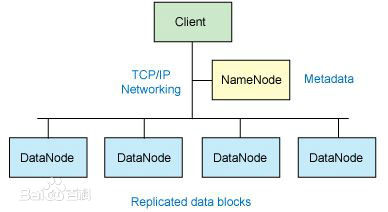
MapReduce: A parallel computing programming model for large-scale datasets.
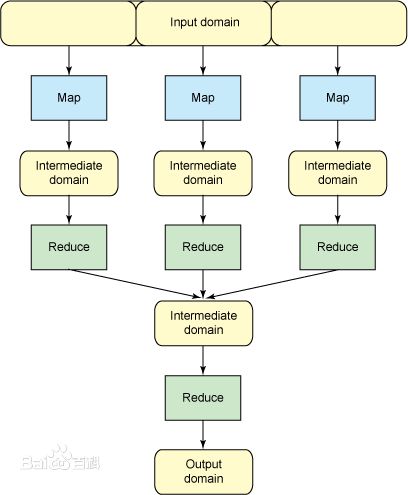
HBase: NoSQL column database
Hive: Data warehouse
Zookeeper: Distributed lock service
Pig: Big data analysis platform interface
Home link: http://www.cloudera.com/content/cloudera/en/products-and-services/cdh.html
Setup:
1. Java
CentOS 6.7 comes with JDK 1.7, so this step can be skipped. Any JDK-related steps during installation can be ignored.
2. Cloudera Manager Server
Cloudera Manager makes it easy to manage Hadoop deployments of any scale in production. Quickly deploy, configure, and monitor your cluster through an intuitive UI – complete with rolling upgrades, backup and disaster recovery, and customizable alerting.
Download:
http://www.cloudera.com/content/cloudera/en/downloads/cloudera_manager/cm-5-4-7.html
Download the latest version 5.4.7.
After downloading, you will get a file of about 503KB named cloudera-manager-installer.bin. Upload this file (using “rz”) to a designated folder on the server.
Close selinux:
1
2
/etc/selinux/config selinux=disabledHostname
You need to modify the hostname of the machine. To check the current hostname, simply type hostname.
Enter:
1vi /etc/hostsEdit the file and add the line “192.168._._ master.com master”.
Note: when adding datanode nodes, do not name them “master” – use names like “datanode1” instead.
Run the “reboot” command to restart the server.
3. CDH
Using cloudera manager
Navigate to the directory containing cloudera-manager-installer.bin and run:
| |
Keep clicking next. The selected items will be highlighted in bold.
This may take a while, so please be patient…
Choose express free version.
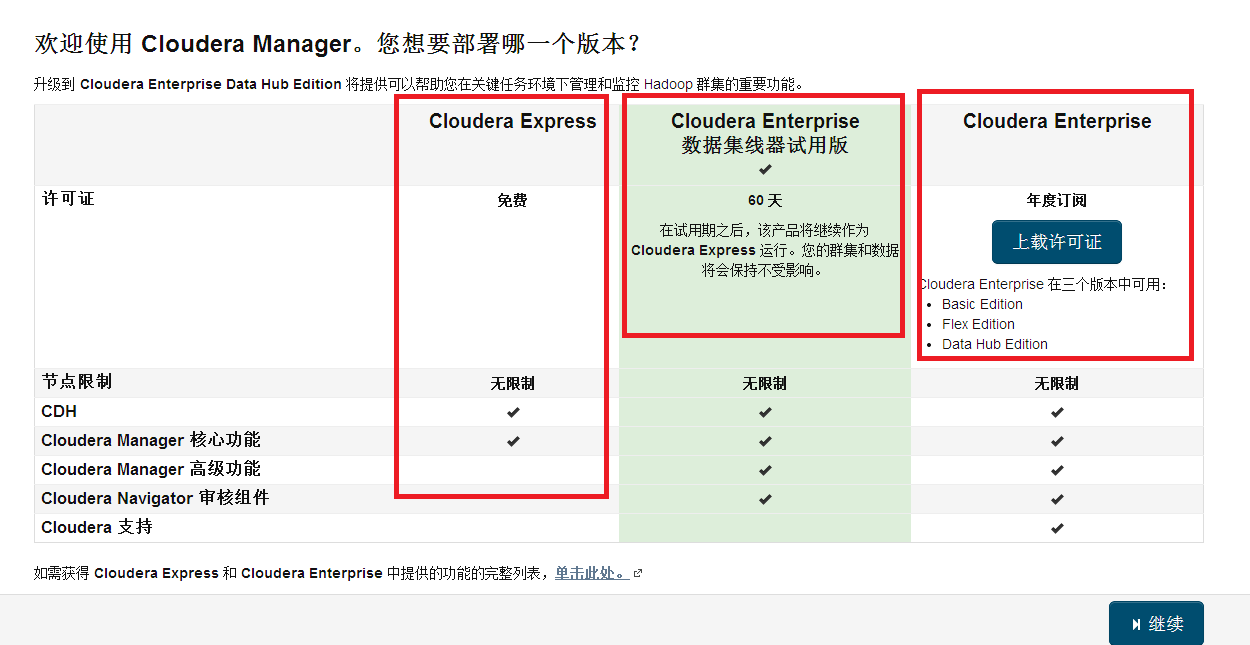
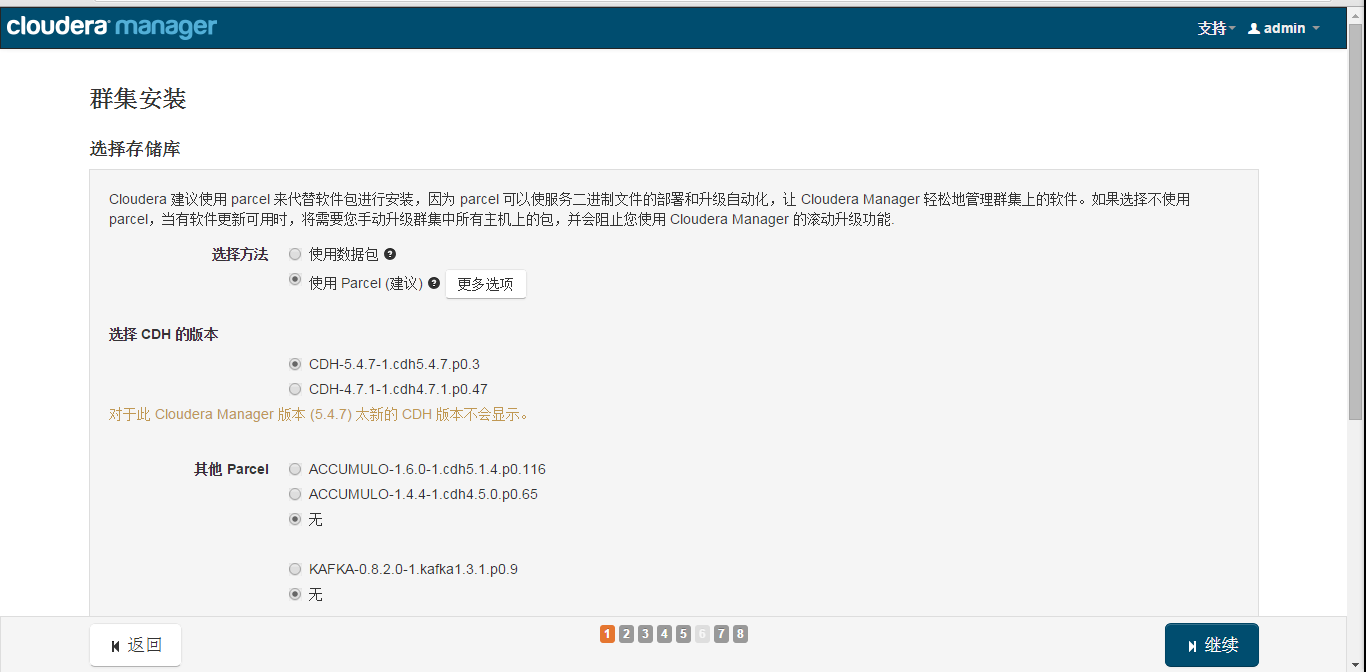
Display the packages to be installed
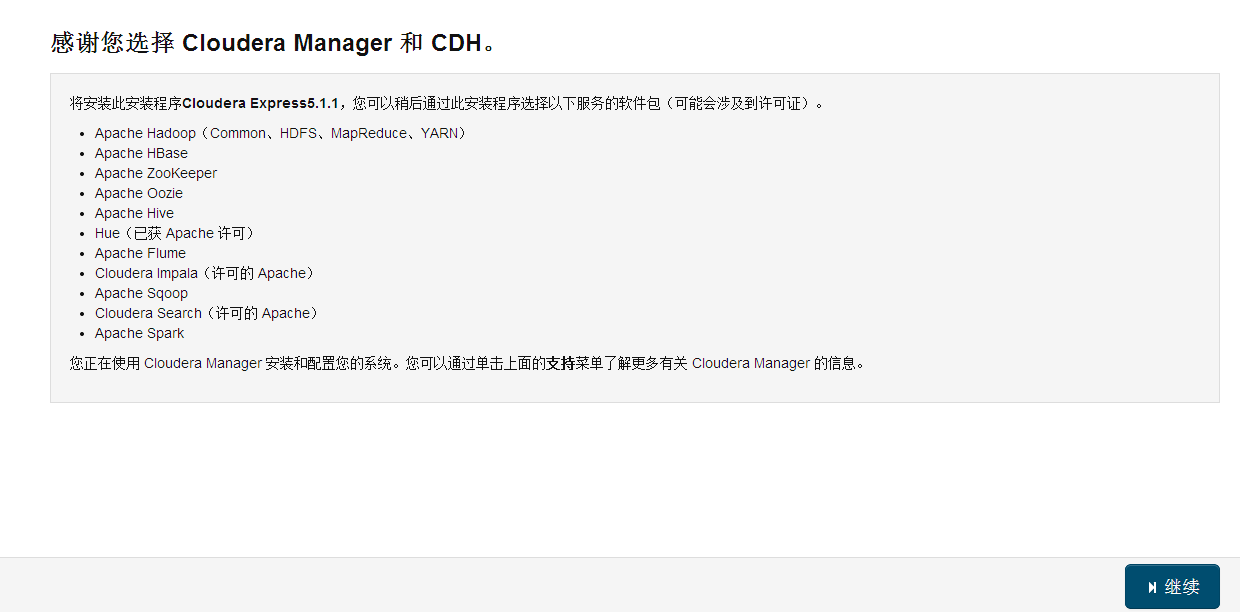
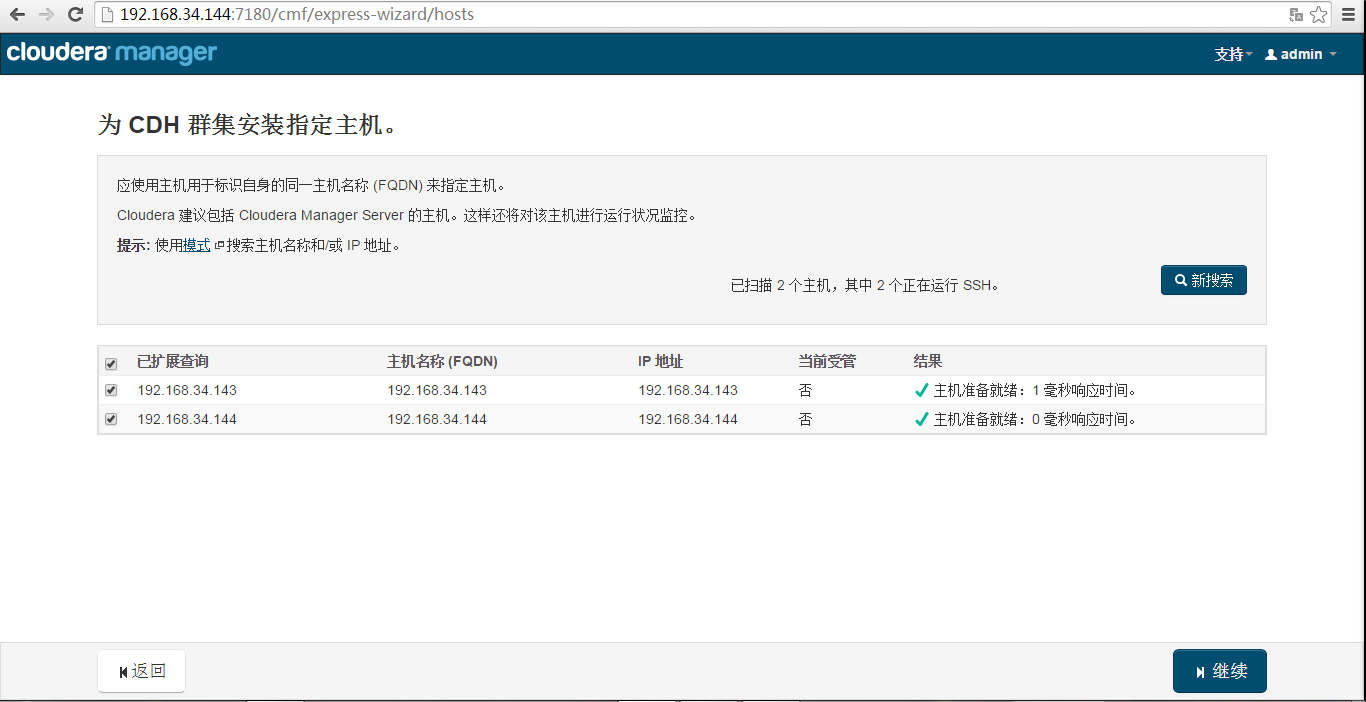
Specify CDH cluster hosts

Install CDH
Enter username and password


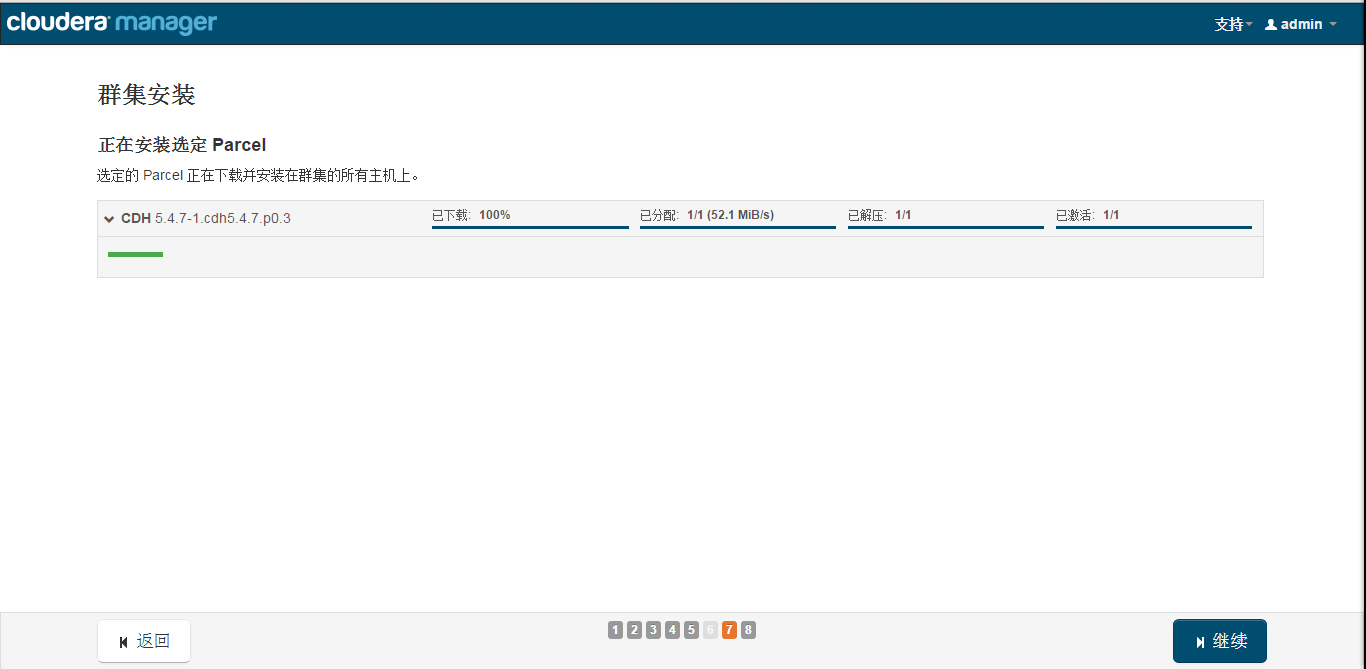
Install the specified Parcel
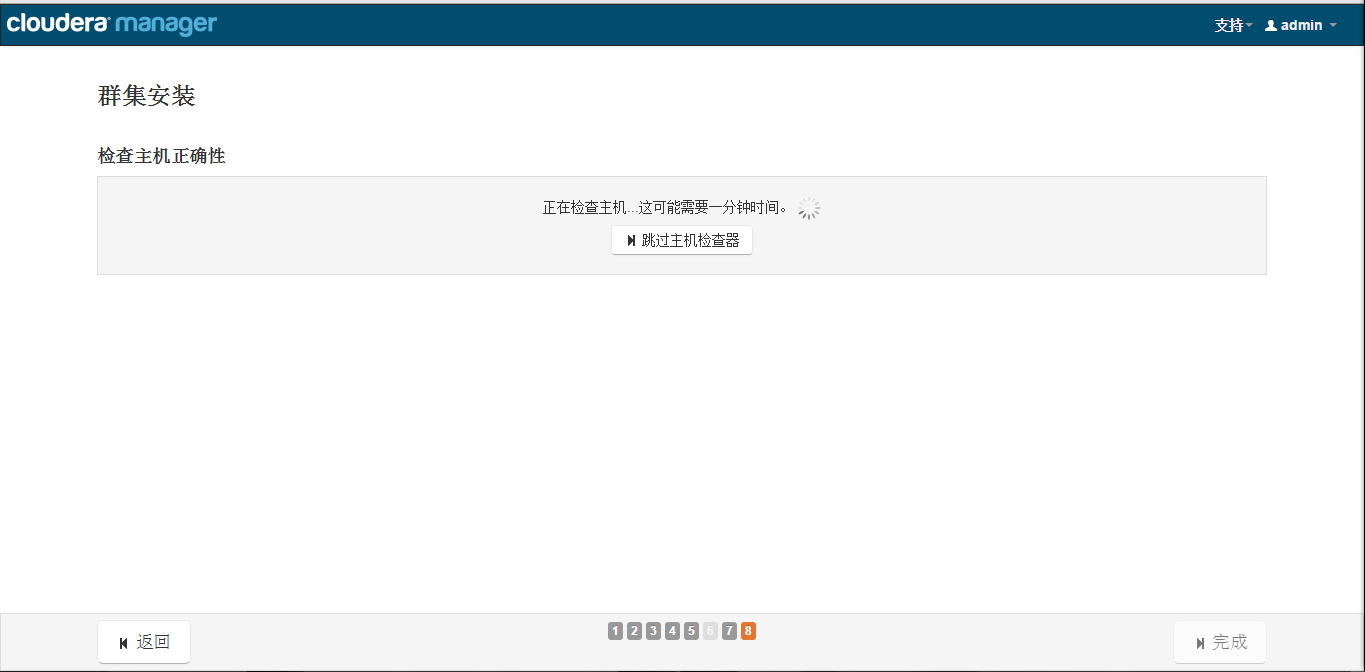
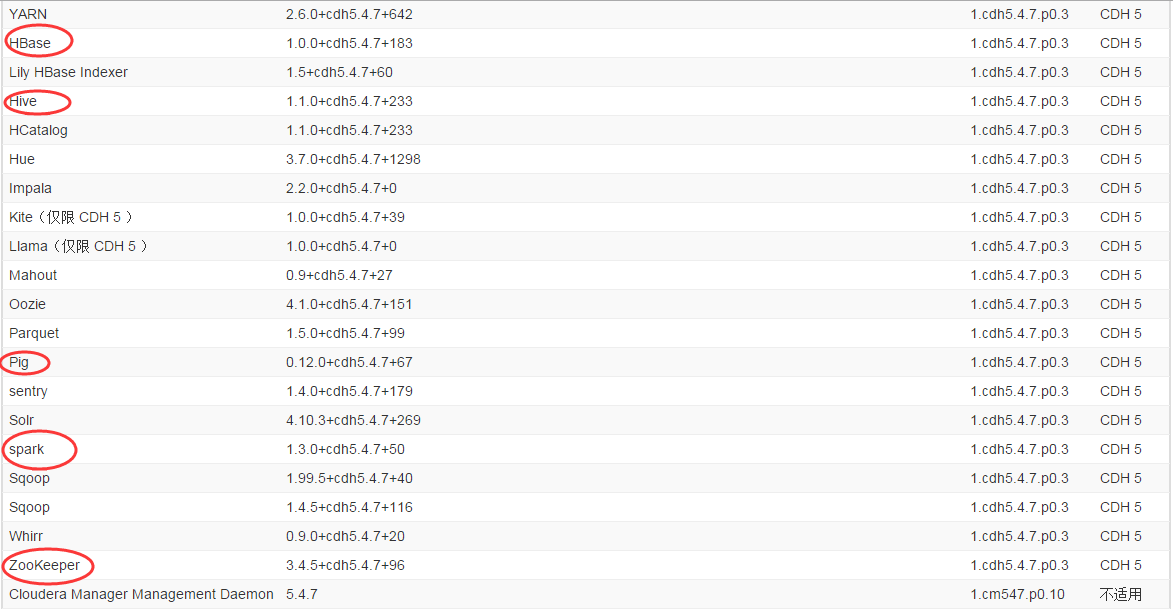
Select services
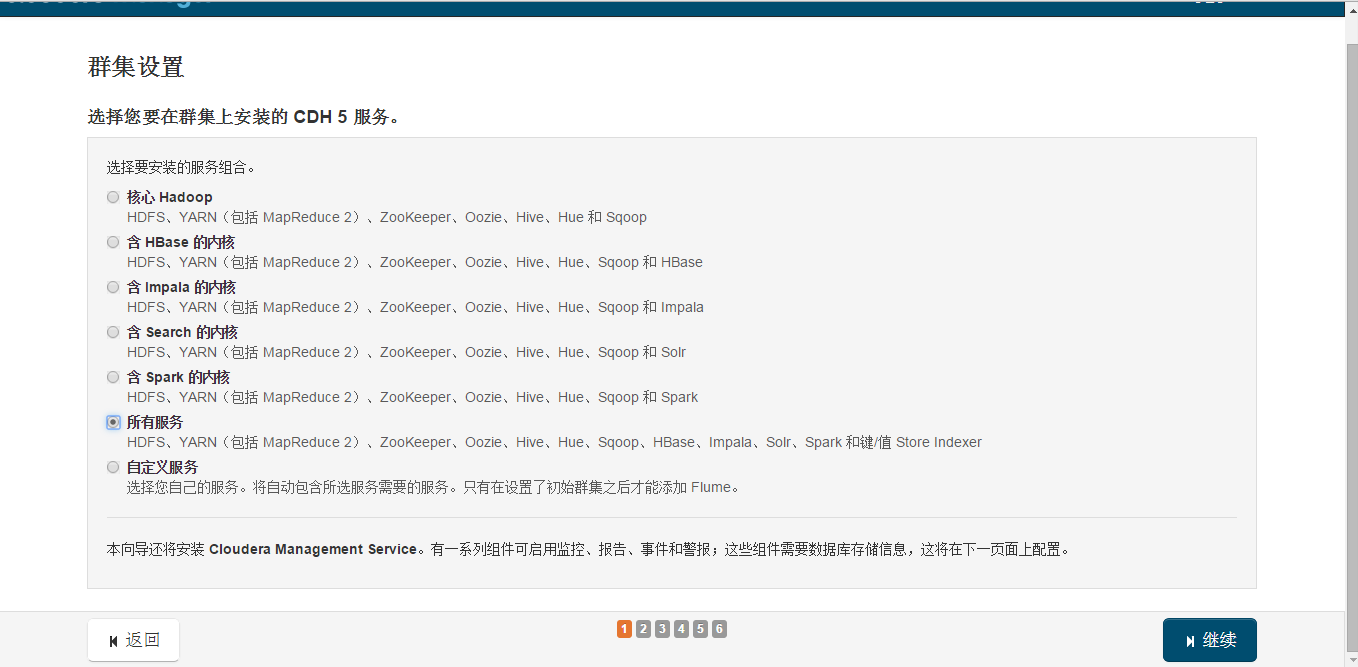
4. Storm
A distributed real-time computation system for processing high-speed, large-volume data streams. It adds reliable real-time data processing capabilities to Hadoop.
5. Spark
Spark uses in-memory computing. Starting from multi-iteration batch processing, it allows data to be loaded into memory for repeated queries. It also integrates multiple computing paradigms such as data warehousing, stream processing, and graph computing. Spark is built on top of HDFS and integrates well with Hadoop.
6. Problems
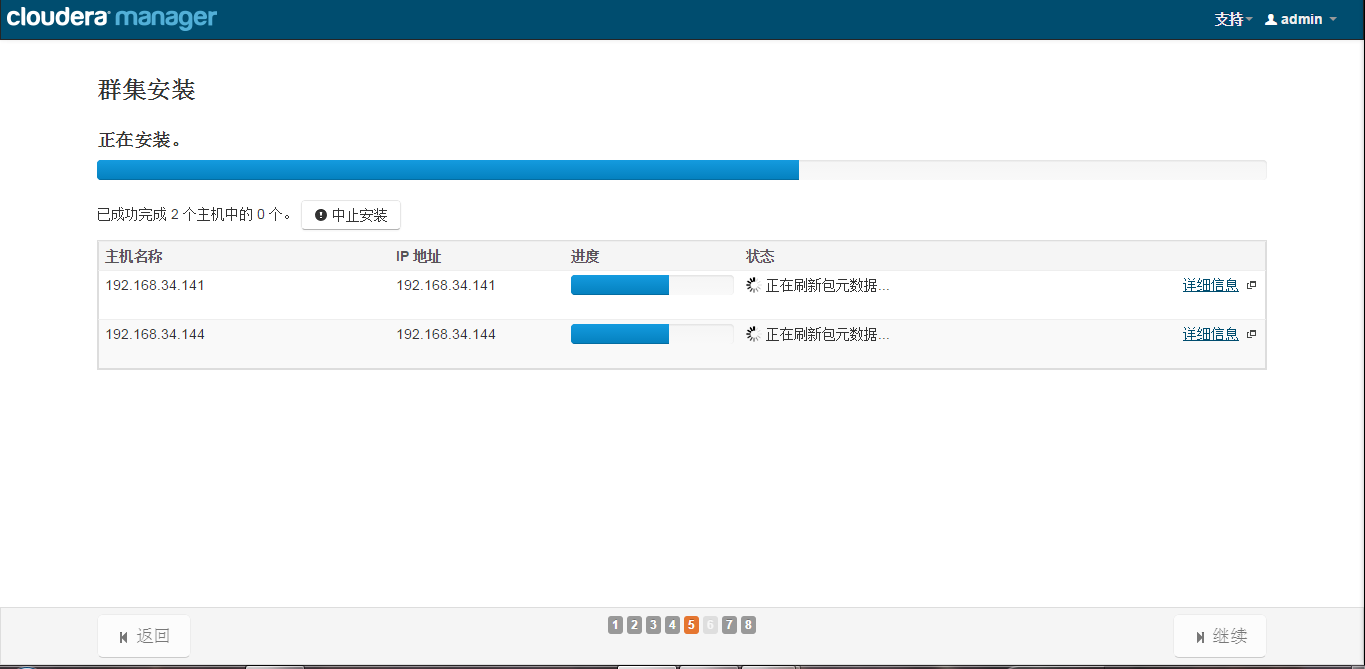
Refreshing metadata packages
1 2Another app is currently holding the yum lock; waiting for it to exit... rm -f /var/run/yum.pidUninstall Cloudera Manager
1$ sudo /usr/share/cmf/uninstall-cloudera-manager.shInstallation failed: Unable to receive heartbeat from Agent
1 2 3 4 5cat /etc/hosts ip 域名 主机名 192.168.*.1 master.com master cat /etc/sysconfig/network HOSTNAME=master.comUninstall Cloudera Manager
1 2 3 4 5 6 7 8 9 10 11 12 13 14 15sudo rm -Rf /usr/share/cmf /var/lib/cloudera* /var/cache/yum/cloudera* sudo /usr/share/cmf/uninstall-cloudera-manager.sh sudo service cloudera-scm-server stop sudo service cloudera-scm-server-db stop cloudera-manager-server-db sudo yum remove cloudera-manager-server sudo yum remove cloudera-manager-server-db-2 sudo service cloudera-scm-agent hard_stop sudo yum remove 'cloudera-manager-*' sudo yum clean all sudo rm -Rf /usr/share/cmf /var/lib/cloudera* /var/cache/yum/cloudera* /var/log/cloudera* /var/run/cloudera* sudo rm -Rf /var/cache/apt/archives/cloudera* sudo rm /tmp/.scm_prepare_node.lock sudo rm -Rf /var/lib/flume-ng /var/lib/hadoop* /var/lib/hue /var/lib/navigator /var/lib/oozie /var/lib/solr /var/lib/sqoop* /var/lib/zookeeper sudo rm -Rf /dfs /mapred /yarn