Cesium Chinese Website: http://cesiumcn.org/ | China Fast Access: http://cesium.coinidea.com/
We created 3D Tiles to stream, visualize, and analyze massive 3D content, such as entire cities or complex building models. With the latest update to Cesium Stories, we can now inspect feature data in 3D Tiles by clicking.
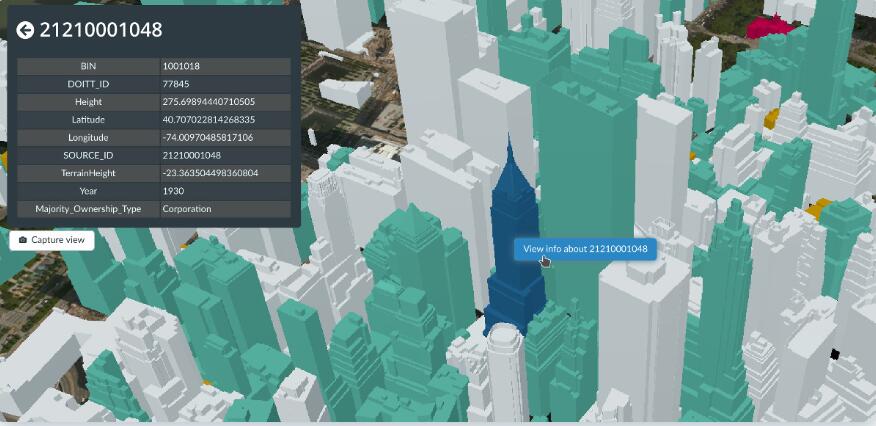
Now you can click on any 3D Tiles feature in Cesium Stories, such as the New York City tileset, to inspect its data.
Suppose you want to learn about the distribution of medical facilities in New York City. You can use using styling to highlight all buildings in the 3D Tileset, then click to view facility capacity, whether there are emergencies, and their official websites and contact numbers.
You can also share your Cesium Story so other users can inspect it in the same way, whether they are doing a thorough analysis in the office or out in the field. On mobile devices, the info box can be collapsed or expanded to easily switch between the full 3D scene view and feature data.
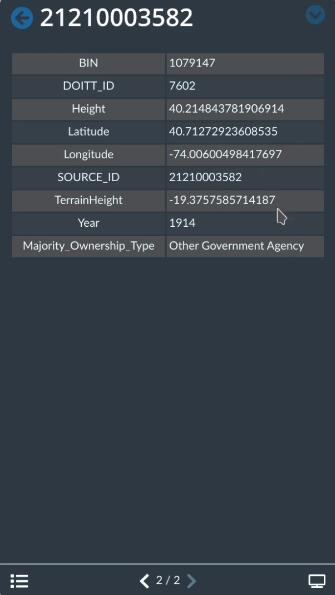
Cesium Stories works in any modern web browser. On mobile devices, you can collapse or expand the info box to easily switch between the full 3D scene view and feature data.
Feature picking in Cesium Stories works on any 3D Tileset with feature data and is not limited by the physical size of features, making it ideal for industries like BIM/CAD where you need to inspect everything from large pipes down to the smallest valves or screws.
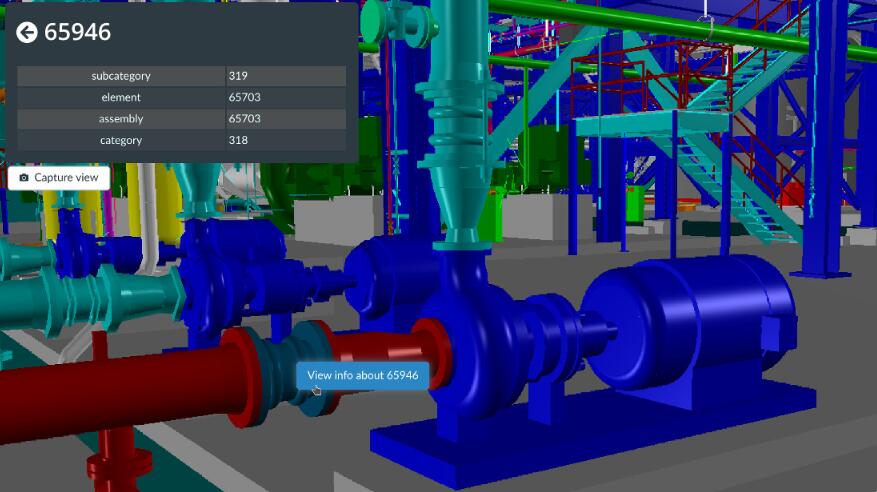
Feature picking in Cesium Stories works on any 3D Tileset with feature data, such as pipes and valves in a power plant BIM model.
Feature picking also works with vector data, such as GeoJSON, KML, and CZML. Vector layers provide a simple way to add or update feature data, even if the 3D Tileset itself doesn’t contain any defined features.
In the example below, we took a Vricon photogrammetry tileset of Washington, D.C. from the Cesium Ion Asset repository that has no feature data, and combined it with building energy usage CZML from the Washington, D.C. Open Data platform.

Combining energy usage CZML with Washington, D.C. photogrammetry allows us to click on any building to view its energy score. The CZML is customizable and can include building images.
Users can click on any building to view its name, annual energy consumption, and Energy Star score. KML and CZML support HTML descriptions, so you can add images, links, or customize the styling.
We’re excited to see what you’ll build with it. Learn how to use picking and styling in the Cesium Stories styling tutorial.
Original link: https://cesium.com/blog/2020/03/25/explore-data-with-picking/
Author: Omar Shehata
Comment: Cesium Stories is powerful and well worth trying.
Cesium Chinese Website QQ Group: 807482793
Cesium Chinese Website: http://cesiumcn.org/ | China Fast Access: http://cesium.coinidea.com/