Scheduled backup is an extremely important task in database services.
For most users who manage databases with a GUI (commonly MySQL-Front, Navicat, or MySQL Workbench), interactive backup methods are simple and easy to learn.
Here is a brief guide on how to set up scheduled backups using MySQL-Front (version 5.3):
- After connecting to the database, go to “Extras” -> “Jobs” -> “New” -> “Export”
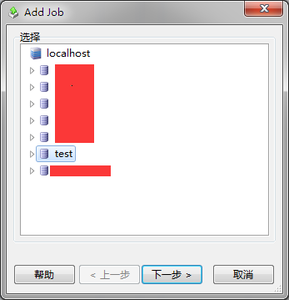
- Select the test database and click Next.
- Specify the export path “D:\test.sql”. Note that the character set should generally be set to UTF-8.
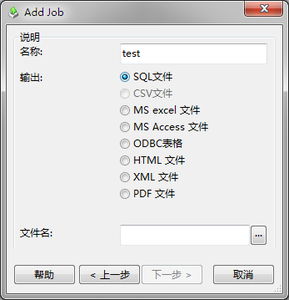
- Next, specify the export content – make sure to check the data option.
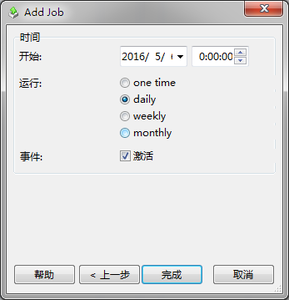
- Set the backup time and interval.
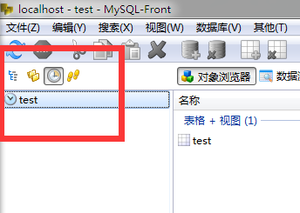
- After completion, a job named “test” will appear in the scheduled tasks section.
- If you want to run it immediately, right-click and select Run.