A distributed real-time computation system for processing high-speed, large-volume data streams. It adds reliable real-time data processing capabilities to Hadoop.
Home link: http://storm.apache.org/
Download link: http://storm.apache.org/downloads.html
Setup
- Java
CentOS comes with JDK 1.7, so this step can be skipped.
- Zookeeper
Home link: http://zookeeper.apache.org/releases.html
Download the package, upload, and extract
http://mirror.bit.edu.cn/apache/zookeeper/stable/
1tar -xf zookeeper-3.4.6.tar.gzConfigure Zookeeper
1 2 3 4 5 6 7 8tickTime=2000 dataDir=/var/zookeeper/ clientPort=2181 initLimit=5 syncLimit=2 server.1=zookeeper1:2888:3888 server.2=zookeeper2:2888:3888 server.3=zookeeper3:2888:3888Start Zookeeper
1bin/zkServer.sh startTest
1bin/zkCli.sh -server 127.0.0.1:2181Dependency installation
Java
Pre-installed.
Python
Pre-installed.
Storm
Download the package, upload, and extract
Extract command:
1tar -xf apache-storm-0.9.5.tar.gzConfigure the Zookeeper address in
storm.yaml1 2storm.zookeeper.servers: - "127.0.0.1"Create and configure the workdir
1storm.local.dir: "/home/admin/storm/workdir"Note:
storm.local.diris the local disk directory used by Nimbus and Supervisor processes to store a small amount of state (such as jars, confs, etc.). This directory must be created in advance with sufficient access permissions.1nimbus.host: "127.0.0.1"1 2 3 4 5supervisor.slots.ports: - 6700 - 6701 - 6702 - 6703Start all Storm services
Nimbus
1bin/storm nimbus >/dev/null 2>&1 &Supervisor
1bin/storm supervisor >/dev/null 2>&1 &UI
1bin/storm ui >/dev/null 2>&1 &Logview
1bin/storm logviewer > /dev/null 2>&1
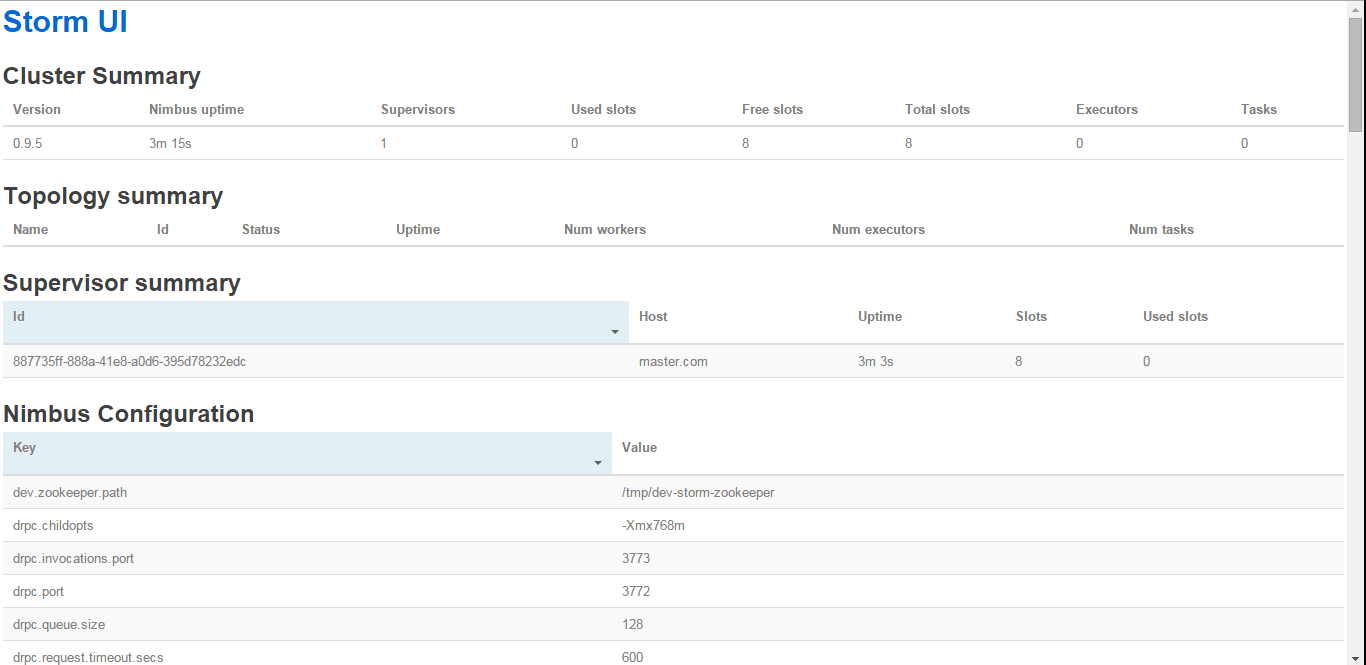
Access Storm UI