Client Class
 1
 2
 3
 4
 5
 6
 7
 8
 9
10
11
12
13
14
15
16
17
18
19
20
21
22
23
24
25
26
27
28
29
30
31
32
33
34
35
36
| using System;
using System.Collections.Generic;
using System.Linq;
using System.Text;
using System.IO.Ports;
namespace COMClient
{
public class COMClient
{
private SerialPort sp = null;
public COMClient(string COM)
{
this.sp = new SerialPort(COM);
// 打开新的串行端口连接
this.sp.Open();
// 丢弃来自串行驱动程序的接受缓冲区的数据
this.sp.DiscardInBuffer();
// 丢弃来自串行驱动程序的传输缓冲区的数据
this.sp.DiscardOutBuffer();
}
~COMClient()
{
// 关闭端口连接
this.sp.Close();
}
public void sendMsg(string msg)
{
// 使用缓冲区的数据将指定数量的字节写入串行端口
this.sp.WriteLine(msg);
}
}
}
|
Client call:
1
2
| COMClient.COMClient com_client = new COMClient.COMClient("COM4");
com_client.sendMsg("Hello World!");
|
Server:
 1
 2
 3
 4
 5
 6
 7
 8
 9
10
11
12
13
14
15
16
17
18
19
20
21
22
23
24
25
26
27
28
29
30
31
32
33
34
35
36
37
38
39
40
41
| using System;
using System.Collections.Generic;
using System.Linq;
using System.Text;
using System.IO.Ports;
namespace COM_Server
{
class Program
{
static void Main(string[] args)
{
// 遍历串行端口名称数组
foreach (string port in System.IO.Ports.SerialPort.GetPortNames())
{
Console.WriteLine(port);
}
byte[] b = new byte[32];
SerialPort sp = new SerialPort("COM3");
while (true)
{
// 打开新的串行端口连接
sp.Open();
// 丢弃来自串行驱动程序的接受缓冲区的数据
sp.DiscardInBuffer();
// 丢弃来自串行驱动程序的传输缓冲区的数据
sp.DiscardOutBuffer();
// 从串口输入缓冲区读取一些字节并将那些字节写入字节数组中指定的偏移量处
string msg = sp.ReadLine();
StringBuilder sb = new StringBuilder();
Console.Write(msg);
// 关闭端口连接
sp.Close();
// 当前线程挂起500毫秒
System.Threading.Thread.Sleep(500);
}
}
}
}
|
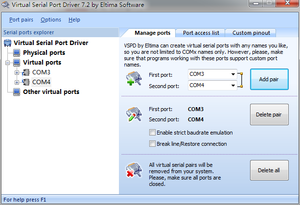
此处需要用到虚拟串口,安装vspd即可。此处配置虚拟串口COM3和COM4:
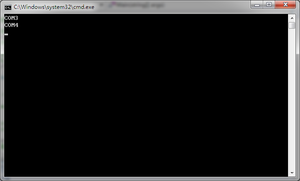
Server端启动效果图:
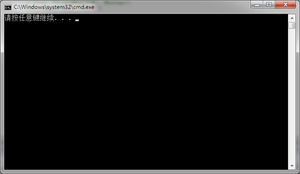
Client端发送图:
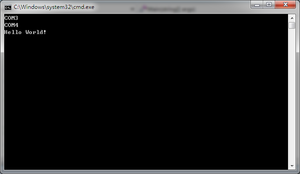
Server端接收图: